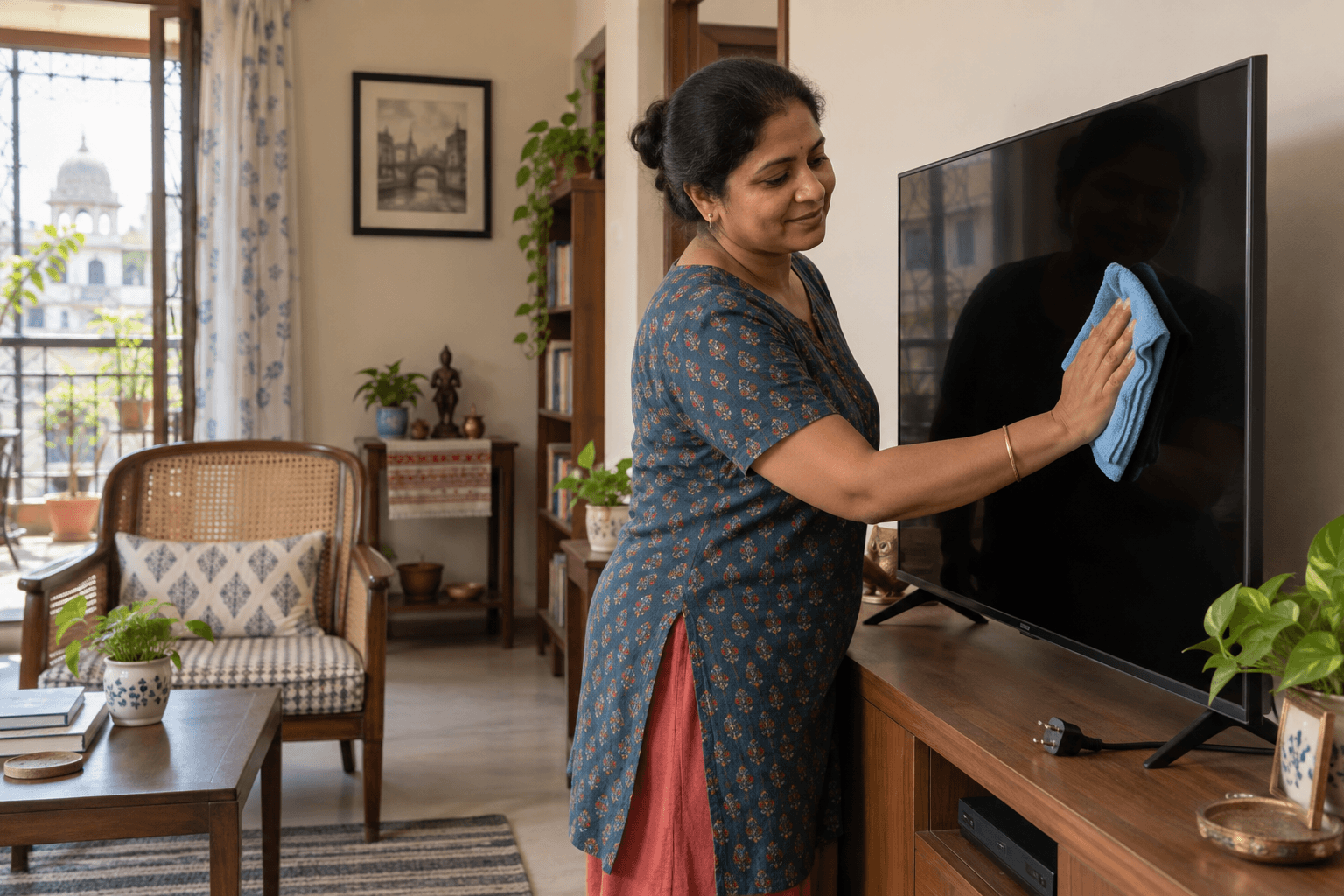
A television can be part of an ordinary room clean, but its screen is not a window. To clean a TV screen, locate the model's care instructions, turn the set off as directed, use a suitable soft cloth with very light pressure and keep liquid out of its edges and ports. A mark that stays after the permitted method is an owner decision, not a reason to apply a household glass spray or dismantle the appliance.
Start with the model, power and permission
Ask whether the household wants the television touched at all. Some people prefer to clean their own electronics or have special coatings on the display. If the model instructions are accessible, read them before choosing a cloth or liquid. Samsung India's TV-screen guidance says to follow the specific model instructions, switch the TV off and disconnect power before cleaning, and avoid touching a cord with wet hands. A different brand or model may specify a narrower method; the actual manual takes priority.
Make a clear boundary between the TV screen, outer frame, stand and nearby furniture. The stand may sit on a wooden cabinet with a different care method. Moving a wall-mounted display, opening a back panel, cleaning ventilation slots or working on electrical faults is not part of an exterior wipe. If the TV is unstable, a cord is frayed or access requires awkward lifting, stop and report that before cleaning.
Keep the cloth and product genuinely suitable
Samsung recommends a soft, dry microfibre or flannel cloth for its displays and warns against direct spraying and rough paper, sponges or brushes. Use a clean cloth reserved for delicate electronics, not a kitchen rag with gritty residue. Fold it so a clean face contacts the panel, then use gentle passes rather than concentrated pressure on one stubborn dot. Screens can flex; pressing harder does not make a safer clean.
Only if the actual model instructions permit a slightly damp method should any moisture be used, and then on the cloth rather than sprayed onto the screen. Samsung's own article describes a small amount of distilled water on a cloth for some models, but that is not permission to use it on every panel. Avoid products not authorised by the manual, including window cleaner, abrasive powder, bleach and improvised mixtures. A cleaner described as “for screens” on a shop shelf still needs to match the particular TV instructions.
Complete screen, frame and return checks separately
Wipe the permitted screen area lightly from one side to the other with the soft cloth. Keep away from dripping at the lower bezel and from openings along the side. After the screen, assess the outer frame and stand using their own allowed method, ideally a different clean cloth face. Do not assume a metal-look strip is bare metal or that the stand can be soaked. CDC home guidance says electronic devices should be cleaned according to manufacturer recommendations; this article makes no disinfection claim.
Let any permitted moisture dry as instructed before power is restored. Recheck from a normal viewing angle for loose dust or remaining fingerprints, without polishing repeatedly to chase reflections. A dark patch visible only when the TV is on, a mark beneath the glass or a scratch is not ordinary surface dirt. Tell the owner what remains and do not attempt repair.
The furniture-dusting guide covers shelves and ordinary surfaces in the same room. It should not be applied unchanged to a coated display. Similarly, a remote control has buttons and openings and requires its own manufacturer instructions; this page is limited to the TV's externally accessible screen and frame.
A fictional Kolkata household has a TV on a sideboard. Dust is visible on the screen, while an oily spot remains after the dry, model-permitted cloth pass. The helper records the spot and asks the owner to check the model instructions rather than trying glass cleaner. The cabinet is cleaned under its own surface rules. This is a decision example, not evidence of an Anjali electronics-cleaning service.
If you want this included in a home-cleaning enquiry, identify the TV model, access and what exterior surfaces you want addressed. Confirm whether electronics are within the agreed scope and ask for the complete quote by WhatsApp or calling +91 98041 26771. Internal servicing or screen repair is outside this guide.